Support Documentation
Content Overview
- Present content in an order that makes sense
- Include numbered steps and/or bullet points to be as clear as possible when explaining processes
- Always include visual examples
- When referring to specific parts of the account system, be clear to use the correct naming conventions and location descriptions
- Put yourself in the shoes of the customer and try to answer any potential questions that customer would have in the article
-
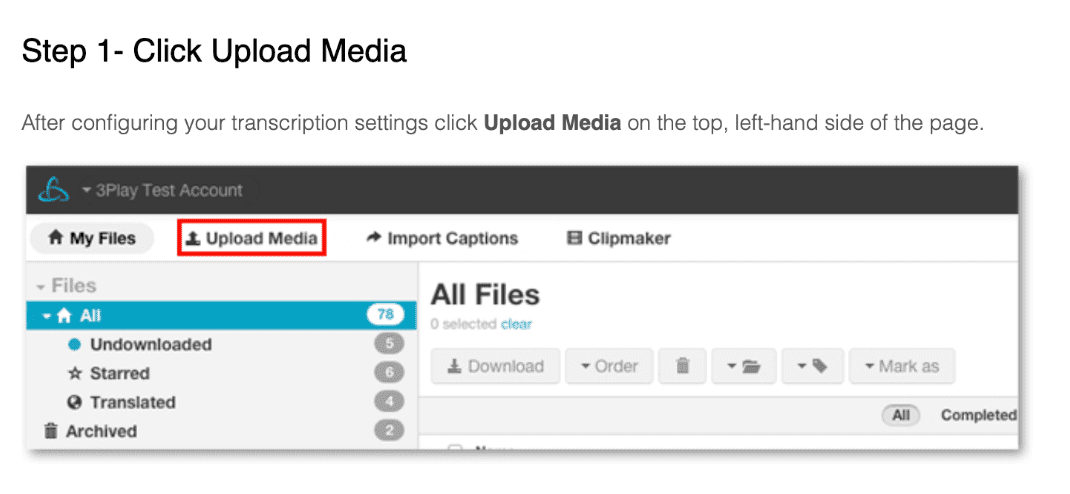
Bold important phrases or words that refer to buttons or specific locations. Also remember to use ">" when describing a two step process involving going from one location to another.
- ex: Once Upload Media is clicked you are directed by default to Upload > From Computer. Click Choose Files and select the media files from your computer.
Screenshots
- Choose meaningful screenshots that visually focus on the content being described in the article
- Provide gif animations when possible to show a quick process to be taken
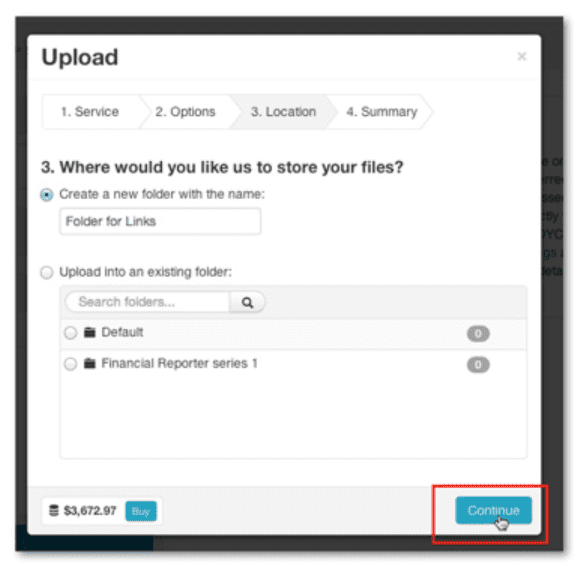
- Illustrate on the images to point out specific locations or processes, for example a red box or arrow
- Include a black border around the image with shadowing
- Place mouse in screenshot to indicate what the user is being instructed to do
Links
- Include resourceful links that support the content; usually these are links to other related support articles
-
Hyperlink text that specifically refers to the content within the link
- For example, "See more information on turnaround service levels." Make links bold and the font color should be 3Play medium blue (#007EB5) where applicable.
Article Titles
-
Try to start titles with a verb (where applicable) to describe what users will learn how to do themselves
- For example, "Upload From Your Computer" - That way it remains clear what the user will read about and potentially perform on their own after reading
- Keep titles short (~4-5 words)
Grouping Articles
-
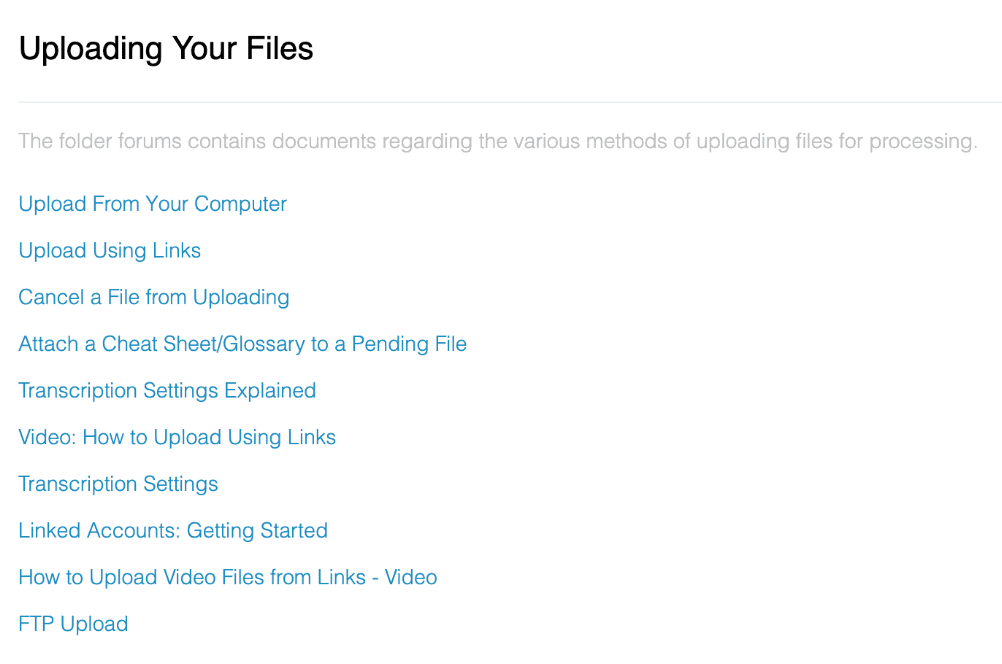
Group articles (folder style) together that correspond to the same topic, that way users can easily navigate to one or more articles on their topic of choice
- For example, if the folder is titled "Uploading your Files," then there could be several article within that group like "Upload from your Computer," or "Upload using Links."
Use cases & examples